 Vulkan Research
How does Orion see?
From camera pixels to a turn of the head: finding faces and hands, keeping track of who's who, following a face or your hand, and what Orion's camera never does.
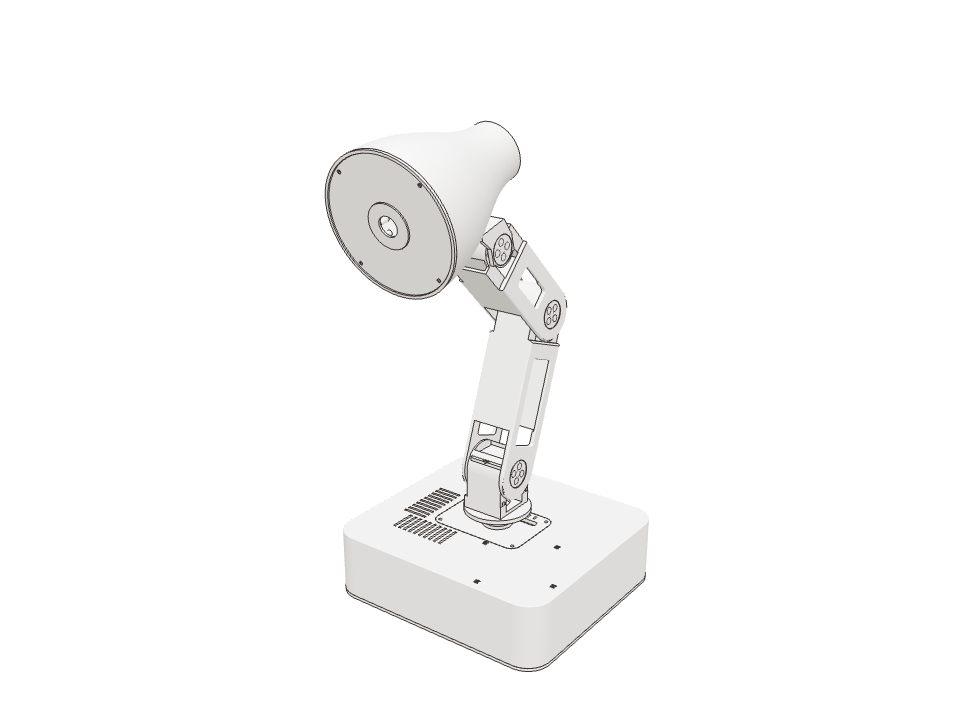
Orion has one wide-angle camera in its head. On its own, a camera only produces a grid of coloured dots. This lesson follows those dots until they become something Orion can act on: “a person is over there, talking to me”, or “your hand just moved left”.
Finding faces, hands and things
Orion runs three Detector A model that finds things of one kind in a picture, such as faces, and marks each with a box and a score. on the camera picture: one for faces, one for palms and one for everyday objects. Each marks what it finds with a box and a Score (confidence) A detector's number from 0 to 1 for how sure it is. Orion only keeps finds above a set threshold.. Orion keeps only the finds that score above a threshold.
Picking that threshold is a trade-off: too strict and it misses people, too loose and it sees faces that aren’t there.
On Orion On the Pi alone, faces are checked 10 times a second. An optional AI accelerator An add-on chip that runs AI models much faster than a normal processor. Orion can use a Raspberry Pi AI HAT+. raises that to 15.
Under the hood
The CPU detectors are YuNet (faces), MediaPipe palm detection and YOLO11n (objects); with a Raspberry Pi AI HAT+,
SCRFD, a palm model and YOLOv11n run on the Hailo chip. One worker schedules all three and always uses the latest
frame, dropping older work. Thresholds and rates are in vision/orion_vision/detector_policy.py.
| Faces | keep above 0.75 | 10 a second (3 while you talk) |
|---|---|---|
| Palms | keep above 0.60 | 10 a second (3 while you talk) |
| Objects | keep above 0.40 | once a minute |
From a pixel to a direction
A box in the picture only says “this face is at pixel 412”. That’s no use for turning toward it, because the camera moves with the head: turn the head and the same face lands on a different pixel.
So Orion records exactly where the camera was pointing when each picture was taken, and turns every find into a Bearing A direction measured from the lamp's base: how far left or right, and how far up or down.: a direction from the lamp’s base that doesn’t change when the head moves.
On Orion The camera’s Field of view How wide a camera sees, as an angle. Orion's camera takes in about 102 degrees side to side. is about 102° side to side. Pictures are analysed at 640 × 360 pixels.
Under the hood
Each frame carries its capture time (the middle of the exposure). The runtime supplies the camera’s pose at that instant, worked out from the joint angles and the robot description, so a picture taken mid-turn is still placed correctly. Detection works in pixels; everything after it works in bearings.
Keeping track of who’s who
A detector looks at each picture on its own. It doesn’t know that the face in this picture is the same person as the face in the last one. And sometimes it misses a face for a frame or two.
A tracker joins the finds into numbered Track A detector's finds over time, joined into one numbered person or hand, so Orion knows it's the same one.. It predicts where each person will be next, and a new find close to that prediction keeps the same number. A short miss doesn’t lose anyone.
On Orion A track survives one second without being seen. Finds within 20° of a prediction count as the same person.
Under the hood
vision/orion_vision/tracker.py keeps a constant-velocity Kalman filter per track, in bearings rather than pixels:
each track has a direction and a speed, and every new find nudges both. Track numbers never restart, even after the
camera is switched off and on.
Face tracking: choosing whom to look at
With several people in view, Orion has to pick one to look at, and then not flit between them. It sticks with its current target. It only switches to someone else who is looking at it and is clearly closer, and only once that’s been true for a moment.
Guess first Ben steps much closer but is looking at his phone. Does Orion switch to him?
No. Orion only switches to someone looking at it. Untick “looking at Orion” for a face to see.
Face tracking: turning to look
Knowing where to look, Orion turns the way people do: the head moves first, because it’s light and quick. A moment later the base starts turning too, slowly, and the head turns back toward the middle as the base takes over. The arm holds its pose throughout.
Tiny movements are ignored, so Orion doesn’t twitch every time someone shifts in their seat.
On Orion Orion plans a new look every 0.1 seconds. The base joins after 0.2 seconds, and anything within 4° counts as already looking.
Under the hood
runtime/src/expression/gaze.rs solves the head angles against the robot description so the camera points along the
bearing, caps the head’s step per update, and compiles each look as a short anchor-relative motion: aim, hold for 1.1
seconds, then return to the anchor. The next update replaces it from the current commanded state, so the movement
stays smooth.
Face tracking: who’s talking?
When you say “Hey Orion” in a room with other people, Orion turns to you, not to whoever happens to be closest. It works out who spoke by watching mouths: the face detector also marks points on each mouth, and Orion compares how much each one moved while the wake word was said.
If it can’t tell, it doesn’t guess. It would rather not turn than turn to the wrong person.
On Orion The chosen speaker can stay Orion’s target between replies. If they leave, Orion won’t swap in a bystander.
Ada's mouth moved clearly more, so Orion takes Ada as the speaker and keeps following them for the conversation.
Hand tracking
In Hands mode, Orion looks for your palm instead of faces, and follows it. Move your hand left and the head follows, like a torch you can steer: handy for pointing its light where you’re working.
It uses exactly the same turning rules as faces: head first, base after, small movements ignored. When your hand leaves the picture, Orion holds still for a moment in case it comes back, then returns to its pose.
On Orion A hand can’t wake a resting lamp or switch the motors on. Only a confirmed “Hey Orion” can wake it.
Finding something on request
You can also ask: “look at the mug”. Orion runs the object detector, finds the mug, and points its head at it. There are four possible answers, and Orion is honest about each: it found it; it found it but can’t turn that far; it found several and needs you to choose; or it can’t find one.
On Orion Answers to “look at …” are exactly aimed, clamped, ambiguous or not_found.
aimedFound one mug: Orion aims its head at it and holds there as a work anchor.
Tracking modes and privacy
You decide how much Orion uses its camera. Four tracking modes go from “nothing in the background” to “always follow faces” or “follow my hand”. Separately, a privacy switch turns the camera off completely.
Pictures only ever live in the Pi’s memory. They’re not saved. One goes online when you ask Orion to look at something, and with each remark Orion makes in Demo mode.
On Orion Switching the camera off closes it and clears the images in memory, in every mode.
- ●Detects: Face detection for Orion's own behaviourson the Pi
- ●Follows: The person talking to it, during a conversationvia the runtime
- ●Viewing in Studio, with one cyan light on the ring while it's onneeds permission
The default: Orion notices, but doesn't stare.